

Welcome to Gaming PCs & Laptops on Player Streets—where frame rates chase bragging rights and every component has a story. This category is your launchpad for builds, upgrades, and battle-ready rigs that can handle esports grind sessions, open-world marathons, and creator workflows without breaking stride. We’ll break down CPUs, GPUs, RAM, storage, cooling, and power supplies in plain language—then connect specs to what you actually feel in-game: smoother aim, faster loads, cleaner streams, and steadier 1% lows. For laptops, we’ll decode thermals, fan curves, wattage limits, and the real difference between “portable” and “tournament portable.” You’ll find guides on choosing displays (refresh rate, response time, VRR), dialing in settings, managing heat and noise, and building a setup that stays consistent match after match. Whether you’re assembling your first tower, hunting a travel laptop that won’t throttle, or chasing a clean desk aesthetic with serious performance, Player Streets is here to turn hardware hype into smart, confident choices. Plug in, power up, and play.
A: Desktops win on upgradeability and sustained power; laptops win on portability and all-in-one convenience.
A: High, stable FPS and low frametime spikes—often CPU, RAM setup, and settings matter a lot.
A: Usually yes if your rig can push high FPS; it improves motion clarity and responsiveness.
A: Many games run well at 16GB; heavy multitasking or newer titles can benefit from 32GB.
A: Heat and power limits—clean vents, improve airflow, and consider undervolting or performance profiles.
A: SSD is the clear win for load times and smoother streaming of in-game assets.
A: Yes—updates can improve performance and fix issues, especially around new game releases.
A: Lower shadows/volumetrics, use upscaling, and close background apps to stabilize frametimes.
A: Good airflow, clean filters, and smart fan curves—plus a cooler matched to your CPU.
A: Buy balanced parts and a quality PSU/case—those foundations make upgrades easier later.

Best Gaming Laptops of 2026 (Ranked & Reviewed)
The best gaming laptops of 2026 redefine portable power, blending desktop-level performance with sleek mobility. This guide ranks top models, breaks down what truly matters, and helps you find the right machine for competitive play, creative work, or immersive AAA gaming.
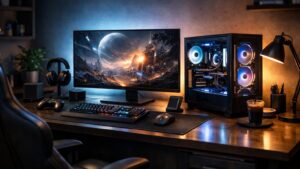
Best Gaming PCs of 2026 (Ranked & Reviewed)
The best gaming PCs of 2026 deliver bigger frame rates, smarter cooling, and sharper design than ever before. This ranked guide breaks down the top desktops for every kind of player.