

Welcome to Headsets & Audio Gear on Player Streets—where crisp comms and pinpoint sound cues turn close games into clean wins. This category is your audio loadout hub, built for players who want more than “loud.” We’ll explore gaming headsets, studio-style headphones, earbuds, mics, DACs, amps, and mixers—then translate every spec into what you actually feel in-match: clearer footsteps, faster target reads, and calmer team coordination. Learn how drivers, tuning, imaging, and soundstage shape positional awareness, and why comfort, clamp force, and pads matter when the session stretches past midnight. We’ll break down wired vs. wireless latency, Bluetooth pitfalls, console and PC compatibility, and the settings that unlock real clarity—EQ, sidetone, noise gates, and mic placement. Whether you’re building a tournament-ready setup, upgrading from an all-in-one headset, or chasing that “hear everything” advantage without ear fatigue, Player Streets helps you choose gear that performs under pressure. Plug in, lock comms, and let the sound do the scouting.
A: Headsets are simple; headphones + mic often deliver better sound and voice clarity.
A: Open can improve positioning in quiet rooms; closed helps in noisy environments and LANs.
A: Not always—only if your headphones need more power or you want cleaner control and features.
A: Check EQ, seal, pad wear, and any surround processing that may be smearing cues.
A: Not necessarily—good 2.4GHz dongle systems can be excellent; avoid unstable Bluetooth setups.
A: Move it closer, reduce gain, add a light noise gate, and aim slightly off-center.
A: It lets you hear yourself so you don’t shout and your voice stays controlled.
A: Too much clamp, heat, or volume—try pad swaps, breaks, and safer listening levels.
A: Try both—if it blurs directionality, keep it off and use light EQ instead.
A: Better mic clarity and comfort usually improve gameplay and teamwork more than louder bass.
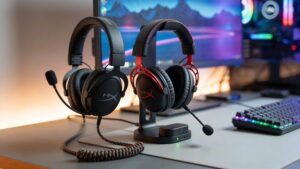
Wireless vs Wired Gaming Headsets: Which Is Better for You?
Choosing between wireless and wired gaming headsets isn’t just about cables—it’s about performance, comfort, and how you play. From competitive precision to couch-friendly freedom, this guide breaks down everything you need to know so you can pick the perfect audio setup and hear every moment exactly as it was meant to be heard.
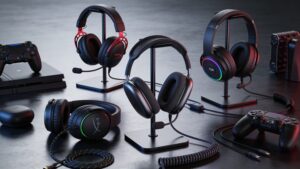
Best Gaming Headsets in 2026: Top Picks for Every Budget
The best gaming headset is not always the most expensive one. In 2026, gamers can find incredible sound, comfort, microphones, and wireless freedom at nearly every price. This guide breaks down the smartest headset choices for every budget, play style, and platform.